STEP 01
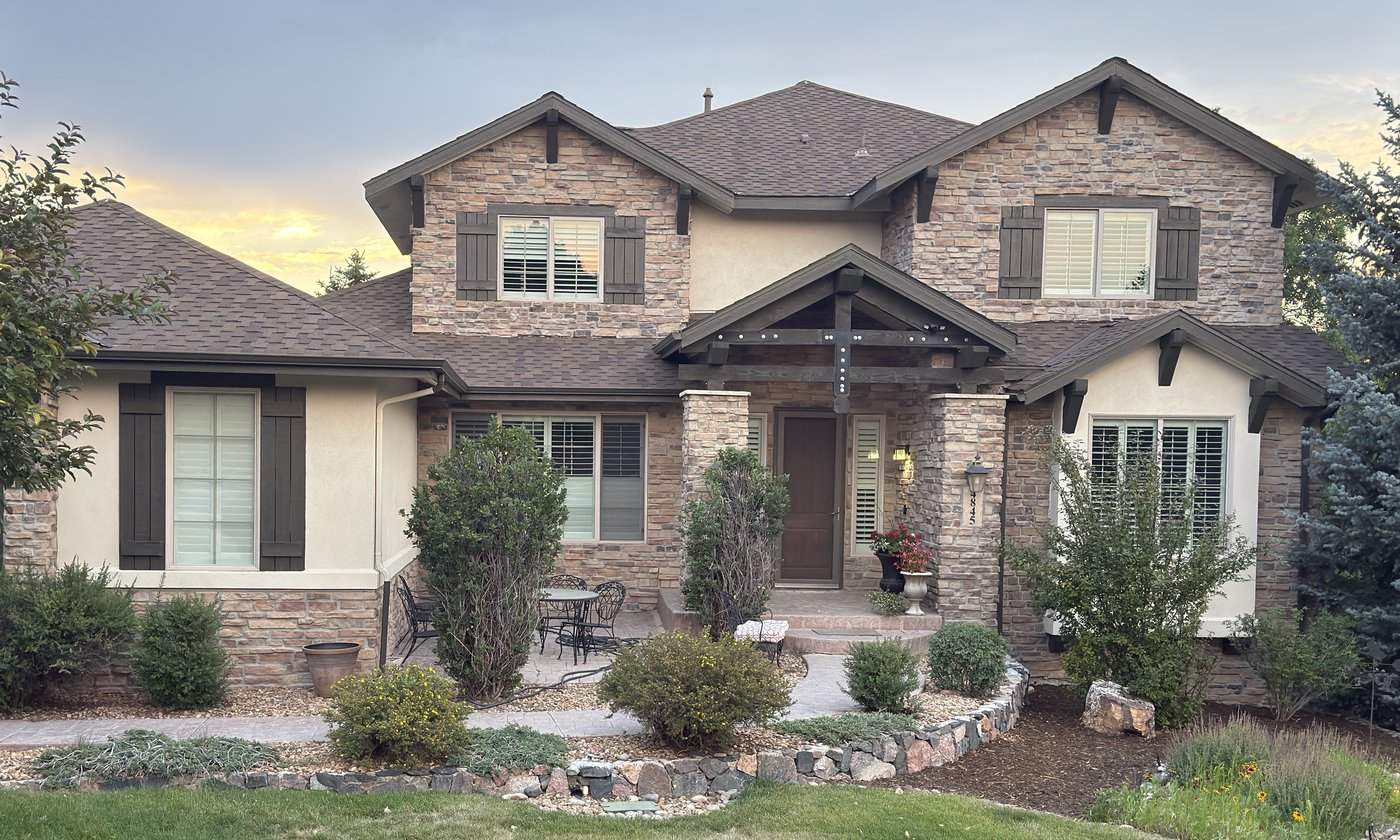
Start with a photo
Snap the front of the house from the driveway, or upload a shot the homeowner sent you. That one photo becomes the whole quote — you measure on it, render on it, and price from it.
Permanent & holiday lighting pros · Beta launching soon
Snap a photo of the house, footage measures itself as you trace, night mode does the selling, and a branded proposal with your real pricing goes out — right there in the driveway, or from your desk on a photo the homeowner sent. One tool instead of two apps and a spreadsheet.
14 days free · No credit card · $149/year after
How it works
Everything happens on the same photo, in the same tool — on-site or before you ever leave the office.
STEP 01
Snap the front of the house from the driveway, or upload a shot the homeowner sent you. That one photo becomes the whole quote — you measure on it, render on it, and price from it.
STEP 02
Drag along the eaves and peaks. Footage totals update live as you draw — no tape, no guessing, no second app to re-measure in.
STEP 03
Night render built from the same day photo — their house, their roofline, not a stock image. Swap color presets while the homeowner watches. That's usually the moment they stop asking about price.
STEP 04
Your rates apply themselves to the measured footage. Out comes a branded proposal with real pricing — shareable link with an Accept button, PDF included — before the porch light even comes on.
After you hit send
The proposal goes out as a link with your branding and an Accept button — not a dead-end PDF attachment. When the homeowner opens it, the quote shows viewed. When they tap Accept, you get a notification right then. Follow up while it's warm instead of calling in three days to ask if it landed.
They opened it. You know the moment it happens.
They tapped the button. The job's on the books and your phone knows first.
Pricing engine
Set your numbers once. Every quote after that calculates itself off the measured footage — and stays fully editable when a job needs judgment.
The old way
Most crews juggle a measurement app, a separate visualizer, and hand-built quotes. Here's what that costs you on every single job.
| The 3-tool juggle | LightVision | |
|---|---|---|
| Get the house photo | Drive out, photograph it, upload it — twice, once per app | →Snap it once — the same shot powers every step |
| Measure the roofline | App #1, then copy the footage out by hand | →Trace it once, totals update live |
| Show it lit at night | App #2, re-upload the same photo, redo the outline | →Same photo, same outline, one tap |
| Price the job | Spreadsheet math in the truck, hope nothing's forgotten | →Your rates auto-apply to the measured footage |
| Deliver the proposal | Build a doc that night, send it tomorrow — maybe | →Branded PDF in their inbox before you leave |
| Know where the quote stands | Send and pray — call in three days to ask if they saw it | →Viewed and accepted status, with a notification the moment they accept |
| What it costs | Two subscriptions, billed monthly, forever | →$149 a year. Flat. |
LightVision is built by a permanent lighting contractor in Denver who got tired of juggling a measuring app, a visualizer, and a spreadsheet on every driveway. If it doesn't make your quoting faster, don't pay for it.
Pricing
No tiers to decode, no per-seat games, no "contact sales." One job usually covers the year — the rest is margin.
LightVision Pro
That's $12.42 a month — less than the fuel for one repeat site visit.
No credit card required · Cancel anytime
Beta
LightVision is in a small invite-only beta right now. Leave your info and we'll reach out — usually within a day.
FAQ
A straight-on shot of the front of the house from your phone is perfect. Snap it from the driveway, or use one the homeowner sends you — as long as the roofline is in frame, you can trace, render, and quote on it.
No — and that's on purpose. Tracing a roofline to the foot needs more screen than a phone gives you. LightVision runs in Chrome on a laptop or an iPad; an iPad with a stylus in the truck is the sweet spot — big enough to trace clean, portable enough to hand the homeowner.
It's a simulated render built from the day photo of their actual house — same walls, same roofline, same trees. It shows where the lights go and how the colors look, not a photograph taken at night.
Accurate enough to quote with confidence. LightVision calibrates measurements against the photo as you trace, and every quote stays editable — so if the tape says something different on install day, you adjust the number, not the whole proposal.
Yes. Same workflow — trace the roofline, footage measures itself, flip on the night render with multi-color presets, send the branded quote. It's built by a permanent-lighting contractor, but seasonal C9 and strand quoting works exactly the same way.
Yes. Your default rates fill in automatically, and every field — per-foot price, minimum, trip fee, line items — is editable on any individual quote without touching your defaults. Discount the neighbor, upcharge the three-story, keep your standard rates intact.
Yours. Your logo, your company info, your prices, your terms. The homeowner sees a professional proposal from your business — not an ad for ours.
Every proposal goes out as a trackable link. You'll see when it's been viewed, and you get a notification the moment the homeowner accepts — no more "just checking in" calls to find out if it landed.
Nothing sneaky. There's no credit card on file, so nothing gets charged. If LightVision earned its keep, it's $149 for the year. If not, you walk away owing nothing.
Next driveway, try this
Fourteen days, full tool, no card. Run it on one real estimate and see if the homeowner signs before you're back on the road.
Request early access 14 days free · No credit card · $149/year after